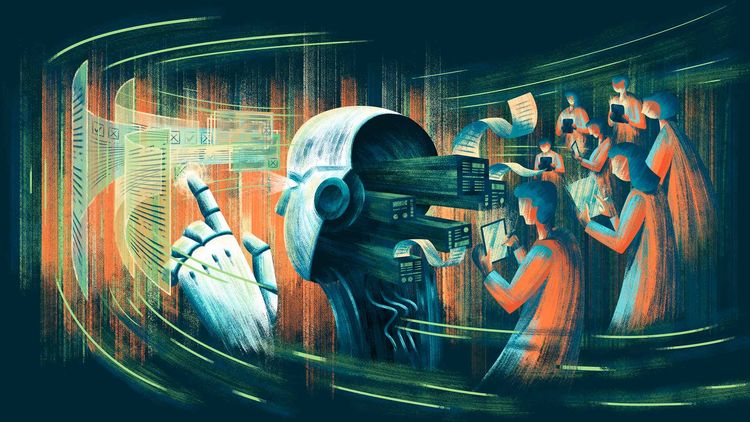
Artificial intelligence has radically transformed how we create visual content. AI workflows represent the natural evolution of this technological revolution, allowing content creators, marketers, and design professionals to automate processes that previously consumed hours of manual work. In this comprehensive article, you'll discover how to implement and maintain automated workflows that will elevate your image and video production to a professional level.
At Mitsoftware, we specialize in developing custom AI workflow solutions for businesses looking to transform their visual content creation processes. Every business has unique needs, and our approach is to design automated systems that perfectly adapt to your specific objectives, industry, and available resources.
AI workflows aren't simply isolated tools, but complete ecosystems that integrate multiple artificial intelligence technologies to optimize every stage of the creative process. From initial conceptualization to final delivery, these automated systems can reduce production time by 70% while maintaining professional quality standards.
What are AI Workflows and Why You Need One?
An AI workflow is an automated sequence of tasks that uses artificial intelligence to process, create, and optimize visual content. Unlike using individual tools, workflows integrate multiple platforms and services that work together in a coordinated manner.
Key Benefits of Implementing AI Workflows
Implementing automated workflows offers significant competitive advantages. First, quality consistency is maintained throughout your entire production, eliminating variations that can occur with manual processes. Second, scalability allows you to produce 10 or 100 pieces of content with the same initial setup effort.
AI workflows also free up valuable time for strategic activities. Instead of dedicating hours to repetitive tasks like resizing images, adjusting colors, or rendering videos, you can focus on creative direction and content strategy. Additionally, these systems can work 24/7, processing requests even when your team is offline.
Essential Components of a Professional AI Workflow
1. AI Image Generation
Creating images through artificial intelligence is the first pillar of any robust workflow. Platforms like Midjourney, DALL-E 3, Stable Diffusion, and Leonardo.AI offer distinct capabilities that can complement each other within your workflow.
An effective workflow for image generation includes:
Conceptualization Phase: Use language models like ChatGPT or Claude to generate and refine creative prompts. This stage is crucial because prompt quality directly determines the quality of the visual result. Sophisticated AI workflows include libraries of optimized prompts that have proven to generate consistent results.
Generation Phase: Configure your system to automatically send prompts to multiple image generation platforms simultaneously. This allows you to compare results and select the best options without repetitive manual intervention.
Post-Processing Phase: Integrate automated editing tools that adjust aspects like contrast, saturation, and resolution according to predefined parameters. Services like Topaz AI or upscaling tools can be integrated to automatically improve the quality of generated images.
2. Video Production with Artificial Intelligence
Video generation represents the next level in AI workflows. Tools like Runway ML, Pika Labs, and Synthesia have democratized video content creation that previously required complete production teams.
Text-to-Video Workflows: These systems convert written scripts directly into complete videos. The automated process includes scene generation, transition selection, background music incorporation, and timing optimization according to audience retention best practices.
Image-to-Video Workflows: Starting from AI-generated images or existing photographs, these workflows create animations and dynamic sequences. They're especially useful for product marketing, where a static product image can transform into a complete promotional video.
Automated Editing and Optimization: Advanced workflows incorporate AI for automatic video editing, including optimal scene detection, awkward silence removal, automatic subtitle addition, and format adaptation for different social platforms.
Step-by-Step Construction of Your First AI Workflow
Phase 1: Defining Objectives and Use Cases
Before building any automated workflow, you must clearly identify what problem you'll solve. Do you need to generate images for social media daily? Do you produce weekly explainer videos? Do you create advertising content for multiple products?
Precise use case definition determines what tools you'll need and how they'll connect. An AI workflow for a digital marketing agency will be very different from one for an educational content creator.
Phase 2: Tool and Platform Selection
The AI tools ecosystem is vast and constantly evolving. For visual creation workflows, consider these categories:
Generation Platforms: Midjourney for superior artistic quality, Stable Diffusion for maximum control and customization, DALL-E 3 for conceptual coherence, Leonardo.AI for specific commercial use cases.
Automation Tools: Zapier, Make (formerly Integromat), n8n for complex workflows with multiple integrations. These platforms are the glue that connects different AI services.
Asset Management Systems: Airtable, Notion, or Google Sheets can serve as control centers where prompts are stored, results are tracked, and content versions are managed.
At Mitsoftware, we help our clients navigate this complex tools ecosystem. We conduct exhaustive needs audits to recommend the ideal technology stack for each specific case, considering factors like budget, production volume, team technical skills, and business objectives. There's no one-size-fits-all solution: what works for a creative agency may not be optimal for an e-commerce company.
Phase 3: Technical Implementation
The technical construction of AI workflows requires a modular mindset. Start with a basic flow and add complexity gradually:
Step 1 - Initial Trigger: Define what will initiate your workflow. It can be a new record in a spreadsheet, a webhook from another application, or a scheduled time.
Step 2 - Input Processing: Configure how input data will be processed. If working with text prompts, implement automatic validation and enrichment using language models.
Step 3 - Parallel Generation: Configure simultaneous calls to multiple image or video generation APIs. This maximizes your creative options without duplicating waiting time.
Step 4 - Automated Evaluation: Implement automatic evaluation criteria. Some workflows use additional AI to score outputs according to parameters like composition, brief adherence, and technical quality.
Step 5 - Storage and Distribution: Configure where final assets will be saved and how they'll be automatically distributed to their destinations (social media, CMS systems, clients).
AI Workflow Maintenance and Optimization
Creating a workflow is just the beginning. Continuous maintenance is crucial to ensure long-term efficiency.
Performance Monitoring
Implement tracking systems that record key metrics: average processing time, generation success rate, cost per created asset, and result satisfaction. Tools like Google Analytics for workflows or custom dashboards in Grafana can visualize this information.
Effective AI workflows include automatic alerts when something fails. If an API doesn't respond, if costs exceed budgets, or if output quality falls below a threshold, you must know immediately.
Prompt and Parameter Updates
Prompt engineering is a constantly evolving field. What worked perfectly three months ago may produce suboptimal results today as models update. Establish a quarterly review process where you:
- Evaluate recent output samples
- Compare against established quality benchmarks
- Update prompt libraries with new techniques
- Adjust generation parameters based on feedback
Cost Management
Automated workflows can generate significant costs if not properly monitored. Implement budget limits in your automations, use open-source AI models when appropriate, and optimize generation frequency according to real versus theoretical needs.
Advanced Use Cases: AI Workflows in Action
Content Marketing at Scale
A digital agency implemented an AI workflow that automatically generates 50 pieces of visual content daily for e-commerce clients. The system receives product feeds, generates optimized descriptions, creates lifestyle images with integrated products, produces 15-second short videos, and schedules posts across multiple social platforms. The result: 80% reduction in production costs and 45% increase in engagement.
Educational Content Production
An online course creator automated visual material production for their lessons. Their AI workflow transforms key points from transcripts into visual infographics, generates explanatory diagrams, and creates animated summary videos. What previously took a week of work with designers now completes in hours.
Mass Personalization for E-commerce
A retail brand implemented AI workflows to personalize advertising creatives according to audience segments. The system generates product image variations with different styles, contexts, and messages, automatically optimized according to historical performance data. Each demographic segment receives creatives specifically designed to resonate with their preferences.
Mitsoftware Custom Solutions: Your Partner in Intelligent Automation
At Mitsoftware, we understand that every company faces unique challenges in their visual content production. That's why our approach isn't to offer generic solutions, but to create completely customized AI workflows that integrate seamlessly with your existing systems and scale alongside your business.
Our Implementation Process
Discovery Phase: We begin with a deep analysis of your current processes, identifying bottlenecks, automation opportunities, and specific objectives. We evaluate your existing technological infrastructure to ensure frictionless integration.
Custom Architecture Design: We create a detailed blueprint of your ideal AI workflow, selecting the best tools for your specific needs. We consider factors like production volume, variety of required formats, available budget, and necessary level of customization.
Development and Integration: Our technical team builds the complete workflow, integrating APIs, configuring automations, and establishing quality protocols. We implement robust security measures and ensure every component works in harmony.
Training and Knowledge Transfer: We don't just deliver technology; we empower your team. We provide exhaustive training so your staff can operate, monitor, and make basic adjustments to the workflow without continuous dependency.
Ongoing Support and Optimization: The AI world evolves rapidly. We offer continuous support, regular model updates, and optimizations based on real performance data to ensure your investment generates increasing returns.
Industries We Serve
Our experience at Mitsoftware spans multiple sectors:
- Marketing and Advertising: Workflows for multichannel campaigns, automated A/B testing of creatives, and content production at scale
- E-commerce and Retail: Systems for automated product photography, image personalization by segments, and demonstration video creation
- Education and E-learning: Automation of visual teaching materials, explanatory infographic generation, and educational video production
- Media and Entertainment: Workflows for creating optimized thumbnails, content teasers, and promotional materials
- Real Estate: Architectural visualization systems, automated virtual tours, and property visual marketing
Why Choose Mitsoftware
Deep Technical Expertise: Our team combines advanced knowledge in artificial intelligence, software development, and industry-specific experience. We're not just technology providers; we're strategic partners who understand your business objectives.
Focus on Measurable ROI: Every workflow we design includes clear success metrics and tracking systems that demonstrate generated value. From time saved to reduced costs and improved engagement, we make the impact of automation visible.
Flexibility and Scalability: We build thinking about the future. Our solutions grow with you, allowing you to add new capabilities, integrate emerging tools, and adapt to changes in your content strategy.
Spanish Language Support: We understand the particularities of the Spanish-speaking market and offer complete support in Spanish, ensuring clear and effective communication at every project stage.
Best Practices for Sustainable AI Workflows
Exhaustive Documentation
Document every component of your automated workflows. When something fails at 2 AM or when you need to scale the system, clear documentation is invaluable. Include flow diagrams, explanations of each step, secure access credentials, and troubleshooting procedures.
Rigorous Testing
Before putting a workflow into full production, run exhaustive tests with real data. AI workflows can behave unpredictably with unexpected inputs. Test edge cases, handle errors gracefully, and ensure backups exist for critical functions.
Scalability from Design
Build thinking about growth. A workflow that works for 10 daily generations can collapse when you try to scale to 1000. Use architectures that allow parallelization, implement processing queues, and consider cloud solutions that automatically scale according to demand.
Ethics and Compliance
AI workflows for content creation must consider ethical and legal aspects. Implement checks to ensure generated content doesn't infringe copyrights, doesn't reproduce problematic biases, and complies with your industry regulations. Always maintain transparency about AI-generated content use when appropriate.
The Future of AI Workflows in Visual Creation
The trajectory of automated workflows points toward greater integration and autonomy. Next-generation systems will incorporate:
Continuous Learning: Workflows that automatically improve based on feedback and results, adjusting parameters without human intervention.
Advanced Multimodality: Seamless integration between text, image, video, audio, and other media, allowing completely cohesive experiences from a single initial prompt.
Predictive Personalization: Systems that anticipate content needs based on historical patterns and emerging trends, generating assets proactively.
Implementing AI workflows for professional image and video creation isn't a luxury, it's a competitive necessity in today's digital landscape. Getting started may seem intimidating, but by adopting a gradual and systematic approach, any creator or team can develop automated systems that multiply their productive capacity.
Effective AI workflows combine cutting-edge technology with clear strategic thinking. It's not simply about automating for automation's sake, but about liberating human creative potential by eliminating repetitive tasks and optimizing processes that don't require artistic intuition.
Start with a specific use case, build a basic workflow, measure results rigorously, and scale gradually. Mastery in automated workflows is a journey, not a destination. Each iteration will bring you closer to a visual content production system that is simultaneously more efficient, more scalable, and more aligned with your unique creative vision.
The future of content creation belongs to those who master the orchestration of artificial intelligence. With the knowledge shared in this article, you're equipped to begin that mastery today.
Take the Next Step with Mitsoftware
If you're ready to transform your visual content production with custom AI workflows, Mitsoftware is here to help you. We offer free initial consultations where we analyze your specific situation and design an automation strategy that perfectly aligns with your objectives and resources.
It doesn't matter if you're starting from scratch or looking to optimize existing systems, our team has the experience and tools to take your content creation to the next level. Contact us today and discover how custom AI workflows can revolutionize your business.
Visit www.mitsoftware.com to schedule your free consultation and begin your digital transformation in visual content creation.